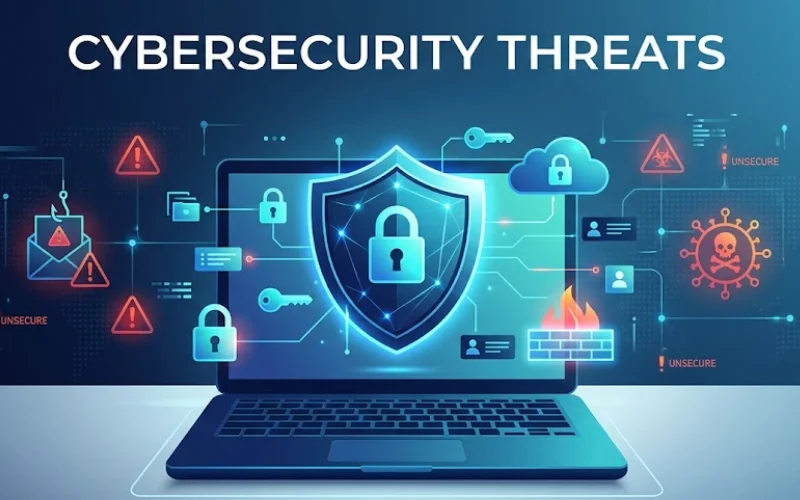
In today’s digital world, every small business depends on technology in some way. From emails and online payments to customer data and cloud storage, everything is connected. While this makes work easier, it also opens the door to risks. Understanding Common Cybersecurity Threats is the first step toward protecting your business.
At Biostechnology, we work closely with many small business owners who believe cyberattacks only target large companies. Unfortunately, small businesses are often easier targets because they have fewer stringent security measures in place.
Let’s break this down in simple terms so you can understand the risks and stay protected.
Why Cybersecurity for Small Businesses Matters
Many small business owners think, “Why would anyone target my business?” But attackers don’t always look for size—they look for weak systems.
A single cyberattack can:
- Stop your business operations
- Leak customer data
- Damage your reputation
- Lead to financial loss
That’s why Cybersecurity for small businesses is no longer optional—it’s necessary.
Most Common Cybersecurity Threats
Here are the most common threats you should know about:
1. Phishing Attacks
Phishing is one of the most common and dangerous threats.
It usually comes in the form of emails, messages, or fake websites that look real. These messages try to trick you into:
- Sharing passwords
- Clicking harmful links
- Downloading unsafe files
Example:
You may receive an email that looks like it’s from your bank asking you to “verify your account.” Once you click the link and enter details, your data gets stolen.
How to stay safe:
- Don’t click on unknown links
- Always check the sender’s email
- Train your team to recognize fake emails
2. Malware and Ransomware
Malware is harmful software that enters your system without your knowledge. Ransomware is a type of malware that locks your data and demands a ransom to unlock it.
This can happen when:
- You download files from unsafe sources
- Open infected email attachments
- Visit risky websites
Impact on small businesses:
- Loss of important files
- Business downtime
- Costly recovery process
Prevention tips:
- Install antivirus software
- Keep your system updated
- Backup your data regularly
3. Weak Passwords
Using simple passwords like “123456” or “password” is a big risk.
Hackers use automated tools to quickly guess passwords. If your password is weak, your accounts can be accessed within seconds.
Best practices:
- Use strong passwords (mix of letters, numbers, symbols)
- Avoid using the same password everywhere
- Enable two-factor authentication (2FA)
4. Data Breaches
A data breach happens when sensitive information is accessed without permission.
This can include:
- Customer details
- Payment information
- Business documents
For small businesses, this can be very serious because customers trust you with their information.
How to prevent data breaches:
- Limit access to sensitive data
- Encrypt important files
- Use secure networks
5. Insider Threats
Not all threats come from outside. Sometimes employees (knowingly or unknowingly) can cause security issues.
Examples include:
- Sharing passwords
- Downloading unsafe files
- Misusing company data
Solution:
- Provide basic cybersecurity training
- Set clear access permissions
- Monitor unusual activity
6. Unsecured Wi-Fi Networks
Using public or unsecured Wi-Fi can expose your data to attackers.
If your business Wi-Fi is not protected, hackers can:
- Access your systems
- Steal data
- Inject malware
What you should do:
- Use password-protected Wi-Fi
- Avoid public networks for business tasks
- Use VPN for extra security
7. Outdated Software
Old software often has security gaps that hackers can easily exploit.
If you ignore updates, your systems become vulnerable.
Simple fix:
- Regularly update software and apps
- Enable automatic updates
- Remove unused programs
Signs Your Business Might Be at Risk
Sometimes, attacks are not obvious. Watch out for these warning signs:
- Slow system performance
- Unknown logins
- Unexpected pop-ups
- Missing or changed files
If you notice anything unusual, act quickly.
Simple Cybersecurity Tips for Small Businesses
You don’t need a big budget to improve your security. Start with these basic steps:
1. Train Your Team
Your employees are your first line of defense. Teach them about common threats and safe practices.
2. Backup Your Data
Always keep a backup of important data. Use cloud storage or external drives.
3. Use Security Tools
Install antivirus, firewalls, and spam filters.
4. Control Access
Give employees access only to the data they need.
5. Regular Monitoring
Keep an eye on your systems and account for unusual activity.
How Biotechnology Can Help
At Biostechnology, we understand the real challenges small businesses face in Cybersecurity. With years of experience, our team focuses on simple, effective solutions that actually work.
We help businesses:
- Identify security risks
- Set up basic protection systems
- Train teams on safe practices
- Monitor and maintain security
Our goal is to make Cybersecurity for small businesses easy, practical, and affordable.
Final Thoughts
Cyber threats are growing every day, and small businesses are not immune. By understanding these Common Cybersecurity Threats, you can take the right steps to protect your business.
You don’t need to be a tech expert. Start with simple changes, stay aware, and build strong habits. A little effort today can save you from major problems tomorrow.
If you’re not sure where to begin, getting guidance from experts like Biostechnology can make the process much easier.
Remember: Cybersecurity is not just about technology—it’s about awareness, habits, and smart decisions.

